
huh.. today got chance to mess up with a plesk 8.1.1
wahaha..
after few trick with mysql thing.. backup.. drop .. restore..things..
lastly manage to install as a fresh ..
Nothing more precious than to have a dedicated server working ..
restored via remote..
no need to go to Data Centre (DC)..
yeah.. I got something on newspaper ads..
p/s : Many men run on energy ..
……….. few are driven by passion…
Unleash your passion..
what was that ?
hahahah.. think bout it.. ~!



1 user commented in " Plesk.. and dedicated server. "
Follow-up comment rss or Leave a Trackbackthe step to remove old plesk before can start install a new
but it is preferable to have a complete system restore..
*** somehow . to wait for sys-admin to do thing to you.. ah.. a lil’ bit fu*ked thing.. why not ***..
as root..
1. yum remove psa-*
2. yum remove httpd
3. rm -rf /var/httpd -R
4. rm -rf /usr/local/psa -R
5. rm -rf /var/www/vhosts -R
6. service mysqld stop
7. If don’t know the root pass for myql .try this as root :
mysqld_safe –skip-grant-table
6. mysql -uroot
i. drop database psa
ii. drop database phpmyadmin_14813SHFF < -- some serial here can see using show databases;
iii. drop database horde;
iv. drop database sitebuilder;
v. and any other thing .. except test and mysql;
vi. may have to reset pass for root to blank ... if u want to delete other user than root in mysql
use mysql;
delete * from user where User!='root';
update user set Password=PASSWORD('') where User='root';
may be need to add the admin user with pass setup.
and with all priv here.
insert into user (Host,User,Password) values ('localhost',admin,PASSWORD('something-default-here'));
then have to grant.. all the privilege. to the admin
then remove mysqld.
yum remove mysql.
***.. after that may proceed with re-installation process.
note i did'nt remove any other user created before.. such as qmail.. bla..bla.. because we are going to re-install
..
then..
./psa_installer_v3.1.2_build070321.17_os_CentOS_4_i386
answer all question.. wait.. till finished..
hopefully no problem..
may be need to flush the firewall
services iptables restart..
then can access to
https://server.name.com:8443/
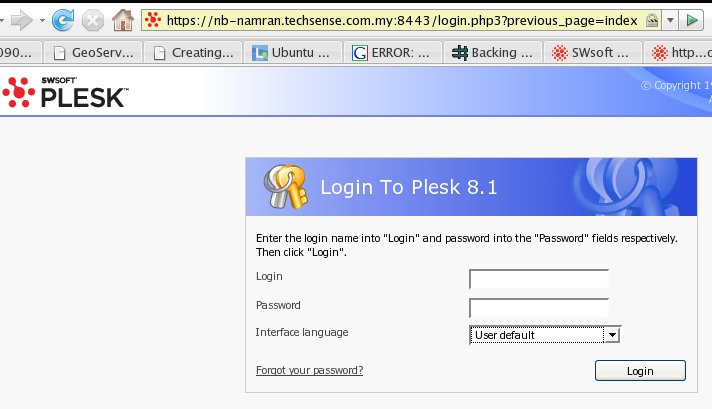
you should see the login screen..
wahaha..
Leave A Reply
Allowed tags: <a href="" title=""> <abbr title=""> <acronym title=""> <b> <blockquote cite=""> <cite> <code> <del datetime=""> <em> <i> <q cite=""> <strike> <strong> <pre lang="" line="" escaped="">