Here is a some sort of tutorial or show off of the compiz + fusion
screen .. to view this blog.
R1GyEG3pAxw
Tools used are :
1. CentOS 5.3
2. Compiz + Fusion Icon
3. Mac4Linux
4. x11vnc
5. vnc2swf
6. pyvnc2swf
of course my laptop Dell D630 Latitude + with the pink mouse.. hahahahaa
For those in need for reference, this is my xorg.conf..
[namran@nb-namran ~]$ cat /etc/X11/xorg.conf
# nvidia-xconfig: X configuration file generated by nvidia-xconfig
# nvidia-xconfig:  version 1.0  (buildmeister@builder3)  Thu Dec 13 19:09:35 PST 2007

# Xorg configuration created by system-config-display

Section "ServerLayout"
    Identifier     "single head configuration"
    Screen      0  "Screen0" 0 0
    InputDevice    "Keyboard0" "CoreKeyboard"
    InputDevice    "Synaptics" "CorePointer"
EndSection

Section "Files"
EndSection

Section "Module"

    Load           "dbe"
    Load           "extmod"
    Load           "type1"
    Load           "freetype"
                Load           "glx"
EndSection

Section "InputDevice"
    Identifier     "Keyboard0"
    Driver         "kbd"
    Option         "XkbModel" "pc105"
    Option         "XkbLayout" "us"
EndSection

Section "InputDevice"
    Identifier     "Synaptics"
    Driver         "synaptics"
    Option         "Device" "/dev/input/mice"
    Option         "Protocol" "auto-dev"
    Option         "Emulate3Buttons" "yes"
    Option         "LeftEdge" "120"
    Option         "RightEdge" "830"
    Option         "TopEdge" "120"
    Option         "BottomEdge" "650"
    Option         "FingerLow" "14"
    Option         "FingerHigh" "15"
    Option         "MaxTapMove" "110"
    Option         "VertScrollDelta" "20"
    Option         "HorizScrollDelta" "20"
    Option         "MinSpeed" "0.3"
    Option         "MaxSpeed" "0.75"
EndSection

Section "Monitor"

 ### Comment all HorizSync and VertSync values to use DDC:
    Identifier     "Monitor0"
    ModelName      "LCD Panel 1440x900"
    HorizSync       31.5 - 100.0
    VertRefresh     59.0 - 75.0
    Option         "dpms"
EndSection

Section "Device"
    Identifier     "Videocard0"
    Driver         "nvidia"
EndSection

Section "Screen"
    Identifier     "Screen0"
    Device         "Videocard0"
    Monitor        "Monitor0"
    DefaultDepth    24
    SubSection     "Display"
        Viewport    0 0
        Depth       24
        Modes      "1440x900" "1400x1050" "1280x1024" "1280x960" "1280x800" "1152x864" "1024x768" "800x600" "640x480"
    EndSubSection

                ##

                  ## NVidia

        Option "AddARGBGLXVisuals" "True"
        Option "DisableGLXRootClipping" "True"
EndSection


###

Section "Extensions"
    Option "Composite" "Enable"
EndSection
So that can have 3D cube like this…
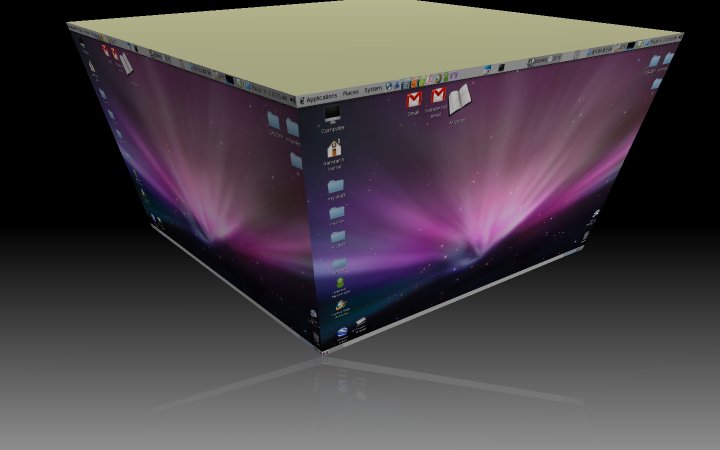
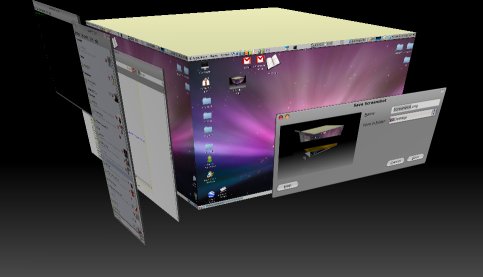
p/s : after few years fiddling with compiz only recently managed to get it up correctly.
hebak… sohih hebak!