First of all grab the PPD file from here.
Save it to somewhere you can find later.
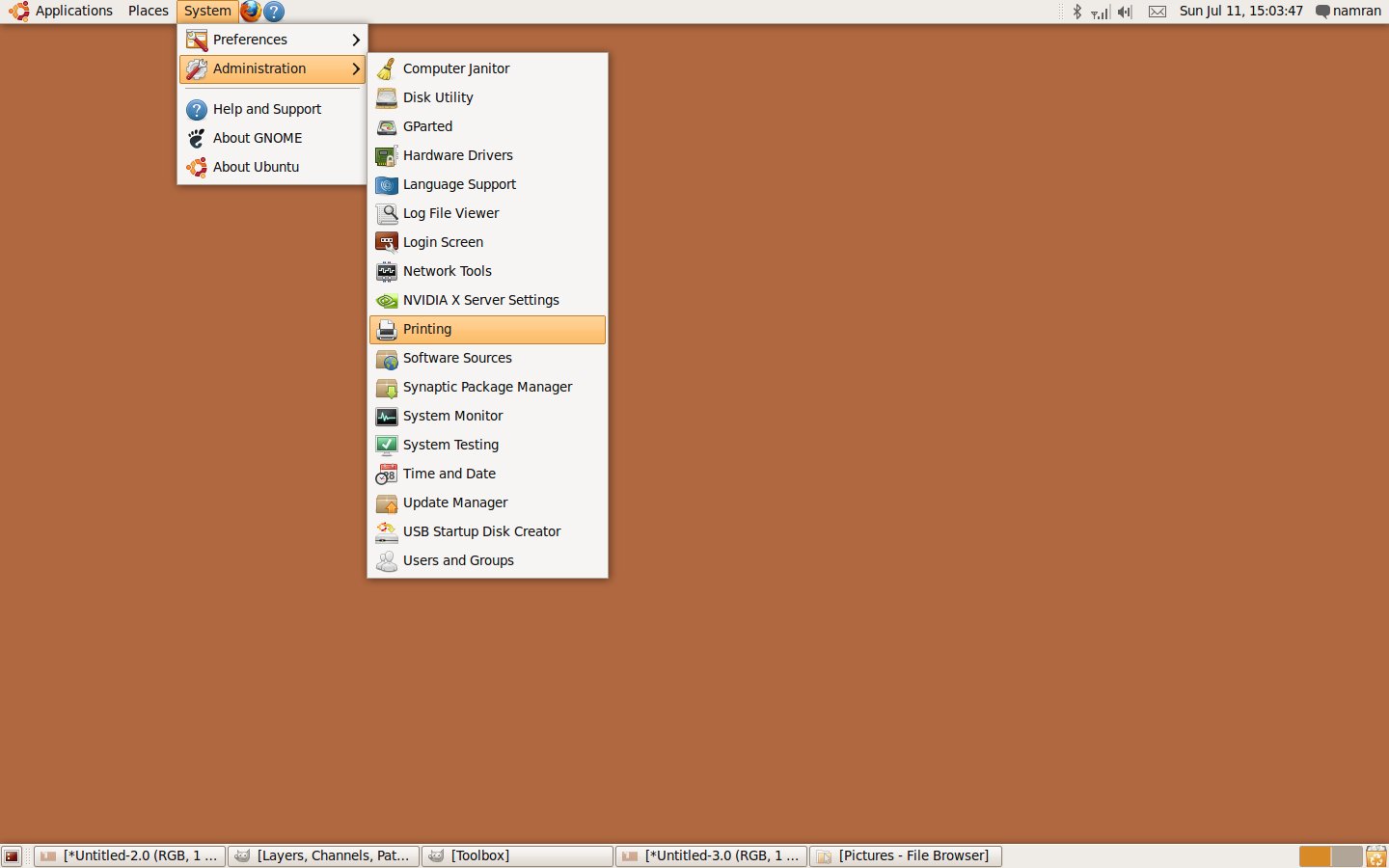
Then go to System->Administration->Printing.
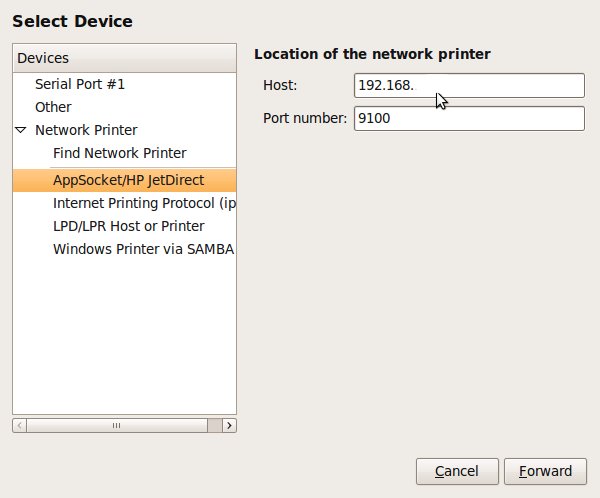
specify the location of new printer ..
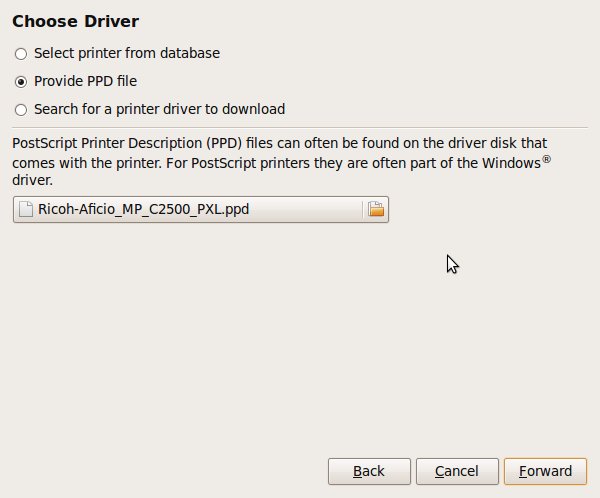
Ok..choose driver ..
Select Provide PPD file.. then point it the PPD files..
Follow the next instruction by pressing “Yes”
the properties of the printers.. “Installable Option”
Printer Options..
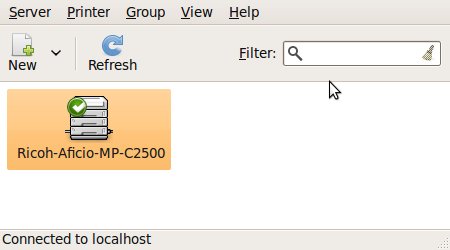
and.. that’s it.
can start printing.. as usual..
Other option are. Upgrade to Ubuntu 10.04 which could have this driver added to one of official Ubuntu repo,
which is automatically searched using GUI upon adding this printer… :)
Here are five key communication skills that help you speak with clarity and influence: Speak…
Are you ready to unlock your full potential as a man?Discover powerful insights, real-life transformations,…
One day we will set aside one whole day to review the whole lesson we…
Last weekend, 07/12/2024 I managed to join Dev Fest Kuala Lumpur 2024, organized by Google…
TIPS BACAAN AL-QURANOleh: Dr. Muhd al-Muhaysni.1. Jangan engkau berikan (fokus membaca) al-Quran pada lebihan waktumu…
Selawat yang ringkas, yang mana apabila kamu membacanya satu kali sebanding 100 ribu kali, jadi…



Leave a Comment