I was wondering if this one already supported out of the box.
But somehow, on my setup, it was not that case.
I can access ipv6 network on router, but not on my own machine behind it.
Here is what I do to change that.
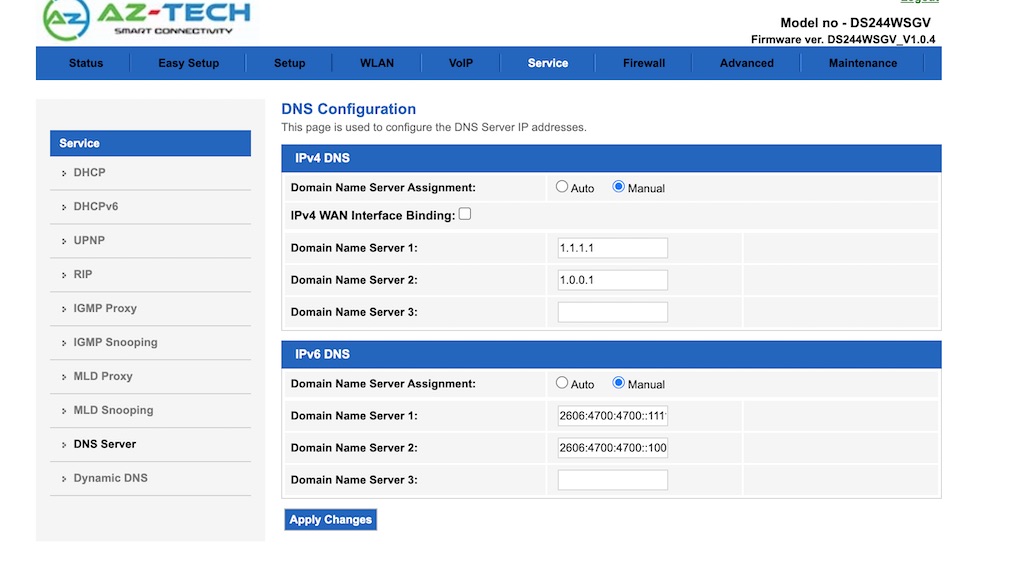
First, change the DNS IPv6 to a server. (optional)
Check if the router can already connect to ipv6 on its own,
by using Maintenance -> ping6
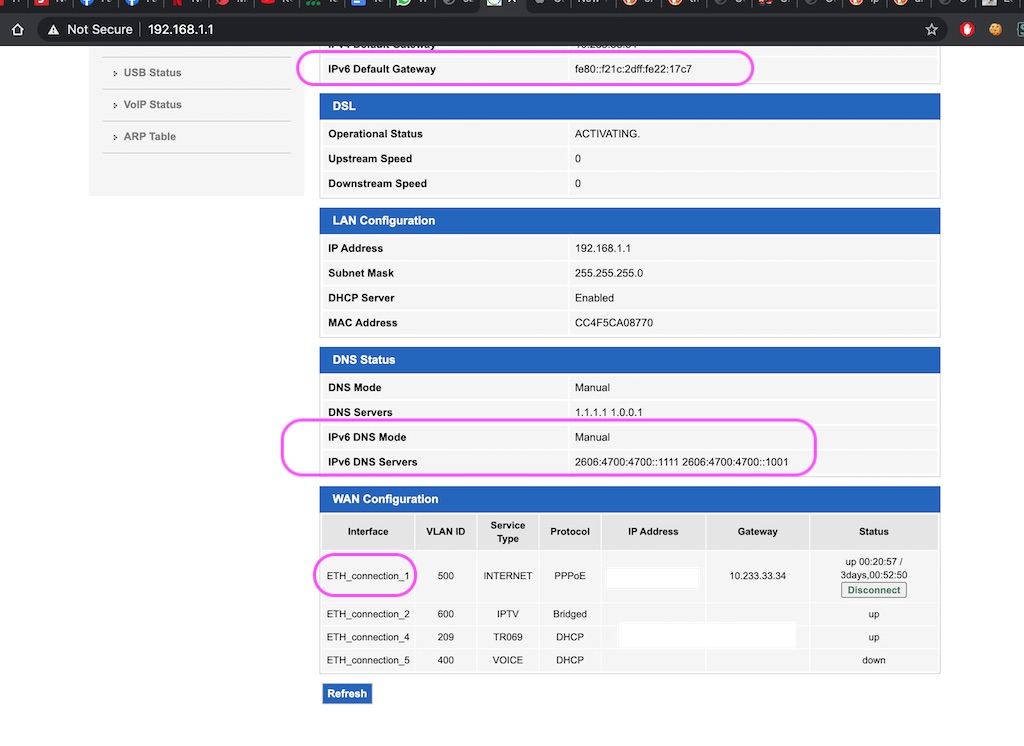
Check the eth1 interfaces.
Then, change the DHCPv6 relay.
Then, reconnect your eth1 connection to internet
So that, the intended setting will become like this.
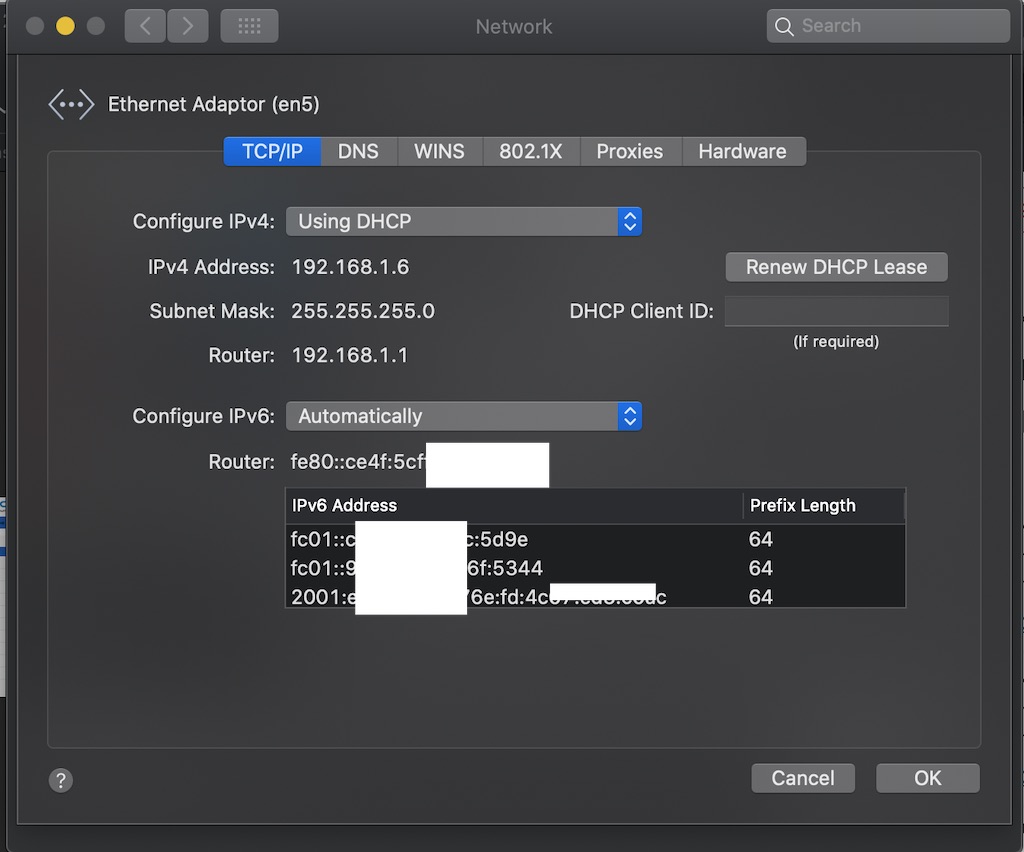
Then, reconnect your laptop wifi (renew DHCP lease), ensure the laptop setting also allowed IPv6 ip assignment.
On mac, check the one under Advanced
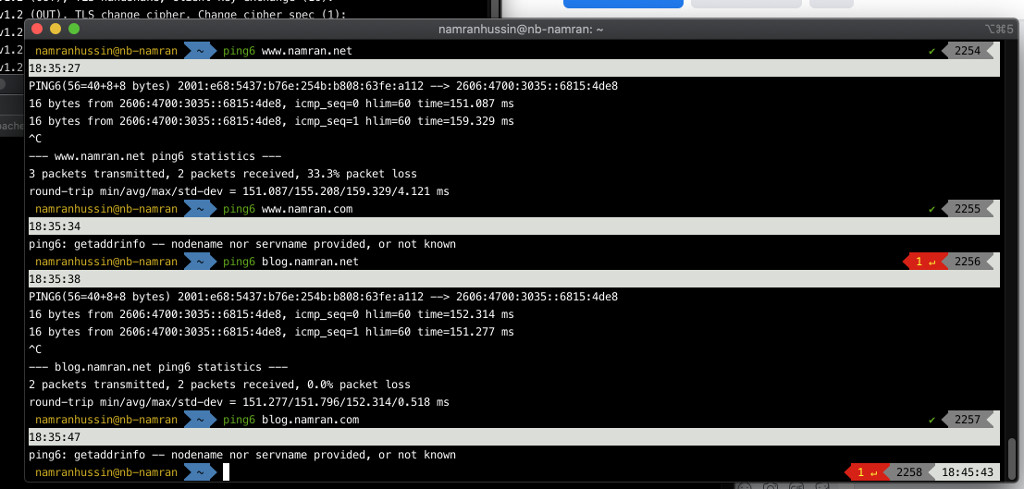
Once, all OK, you can then check with the Iterm2 or terminal.
ping6 ipv6.google.com
or
ping6 blog.namran.net
yay !
Goodluck.
other refs from TM itself: https://www.tm.com.my/OnlineHelp/CustomerSupport/Documents/Guideline%20to%20Enable%20IPv6.pdf
Here are five key communication skills that help you speak with clarity and influence: Speak…
Are you ready to unlock your full potential as a man?Discover powerful insights, real-life transformations,…
One day we will set aside one whole day to review the whole lesson we…
Last weekend, 07/12/2024 I managed to join Dev Fest Kuala Lumpur 2024, organized by Google…
TIPS BACAAN AL-QURANOleh: Dr. Muhd al-Muhaysni.1. Jangan engkau berikan (fokus membaca) al-Quran pada lebihan waktumu…
Selawat yang ringkas, yang mana apabila kamu membacanya satu kali sebanding 100 ribu kali, jadi…


Leave a Comment