After the first post regarding unifi, I was doing some experiment with my unifi network setup. As thing goes along , I had to admit thing turn out very scary after found out this.
First of all :
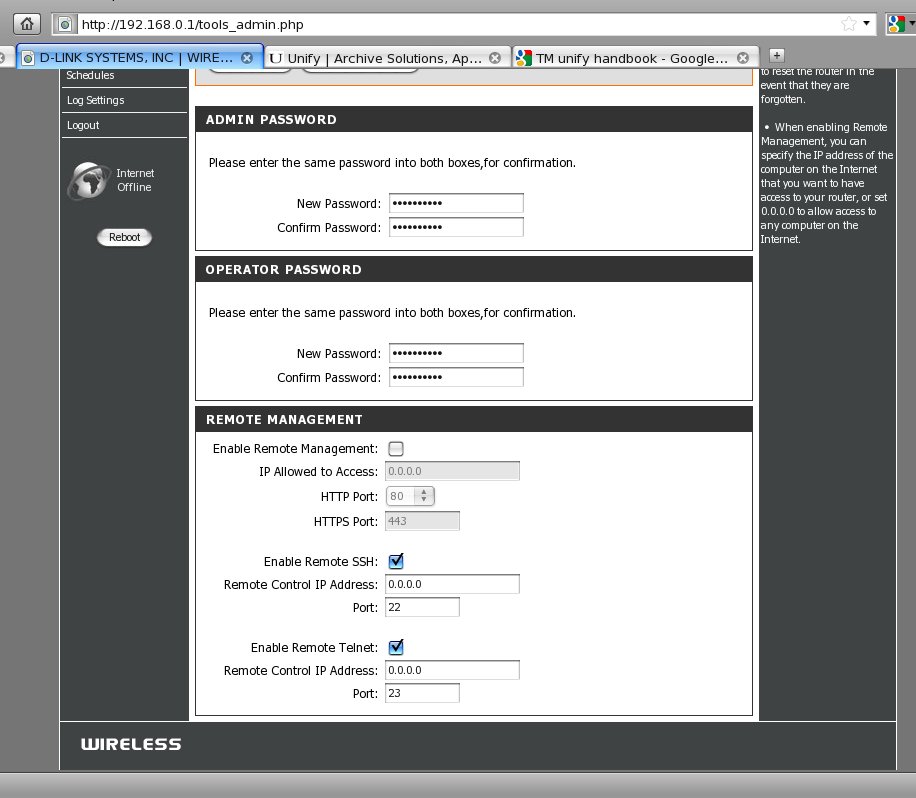
1. remote management is enabled by default.
– this also enabled the following
i. web management on default port 80
ii. SSH at default port 22
iii. telnet at default port 23.
2. User’s being given the “admin” account detail on the router.
at first , I was assuming this is the only account available..
Later , I found out that there is another account exist
with higher roles admin account .. ~ .”operator”
which is having access to SSH , telnet and also web interface.
– if using “admin” account , you can only disable the “web management – remote admin”
while “SSH and TELNET “.. remained invisible and enabled.. !
you can change the password of “admin” to whatever but the user “operator”
still having the original password set by “telekom”
– it can be either your username in reverse order . or “telekom”.
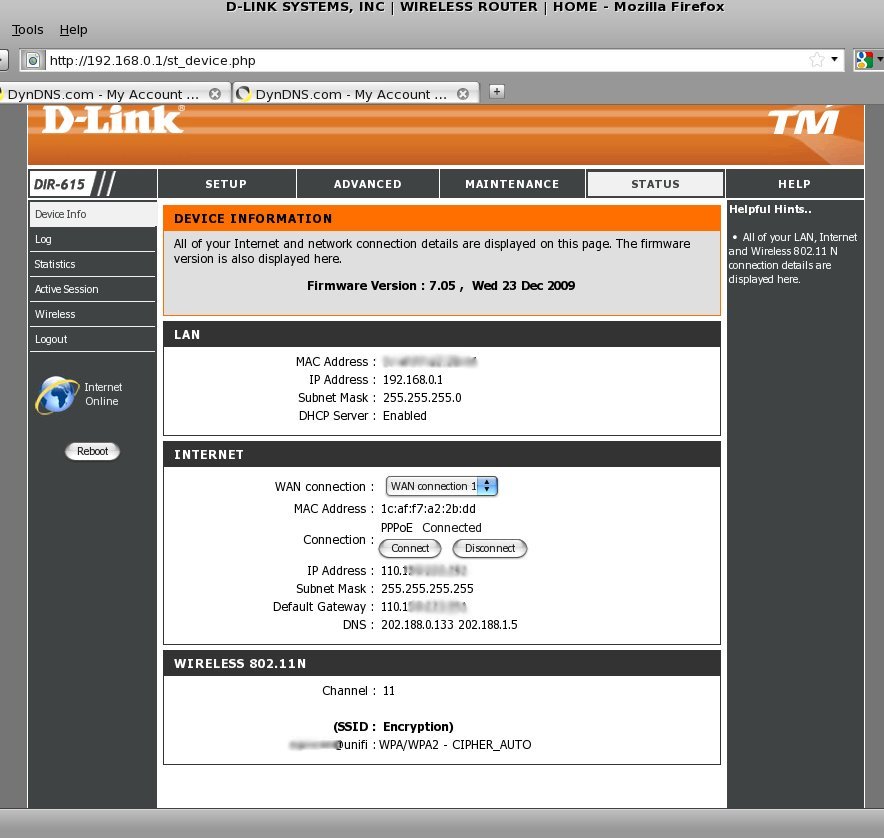
3. WIFI ESSID is your unifi username !!
– so anyone who drive thru your home, and did a scan.. one can easily get the your username . ~ i.e user@unifi.
4. the HTTP password is stored in plain text .. !
– is not a MD5 or whatsoever.
– just SSH/telnet to the router and
ssh -l operator 192.168.0.1
# cat /var/etc/httpasswd
operator:xxxxx
admin:xxxxx
# cd /var/etc/
 # cat passwd
operator:xxxxxxxx:0:0:operator:/:/bin/sh
# cat stunnel.conf
cert = /etc/stunnel_cert.pem
key = /etc/stunnel.key
pid = /var/run/stunnel.pid
setuid = 0
setgid = 0
debug = 7
output = /var/log/stunnel.log
[https]
accept = 443
connect = 127.0.0.1:80
5. wah ! brilliant … it treating whatever connected via 443 as 127.0.0.1
so anyone having unifi at home.. auth for once.. can login to any other unifi router running on HTTPS mode without any password.
– which is enabled by default for unibiz type !!
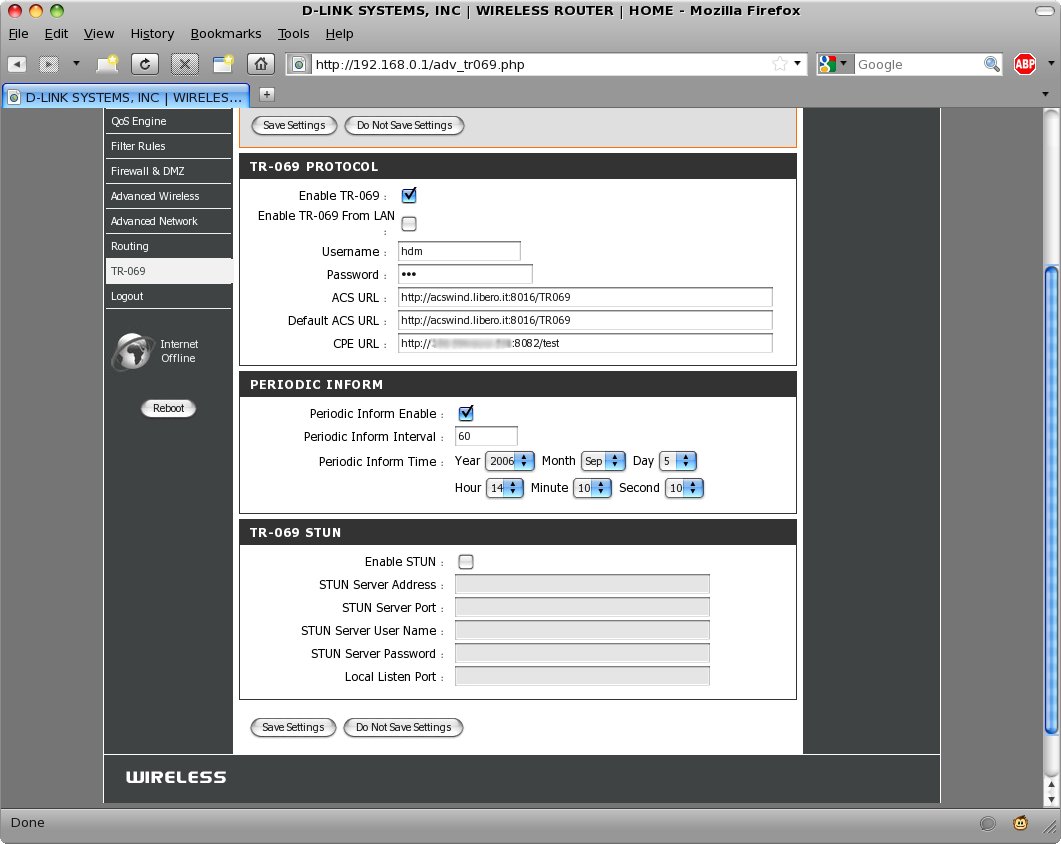
6. It has something called “TR-069” which did phoning TM every 60 days or so,
for config repository / sync ??
– and was having publishing the content on this router as well.
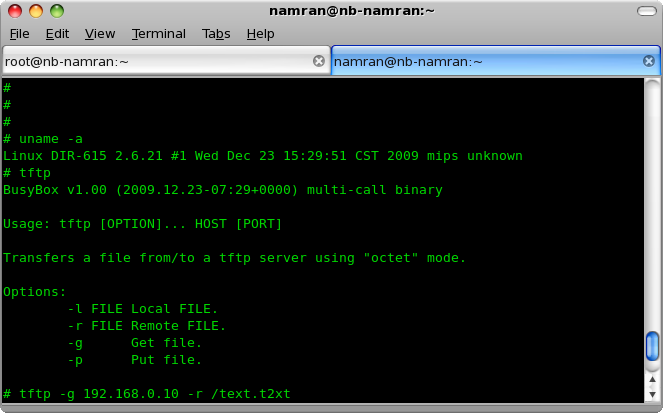
7. the Busybox inside the router is having tftpd client .
which can talk to another tftpd server to send out/in file from/to the router .. !!
* note : to send out file from this router.. it must have the file exist on destination first.. which could be done by simply touch the file on destination before transfer with the following command.
# tftp -p 192.168.0.10 -l -r /text.t2xt
Hmmm.. mangling around ..
# cat config.sh
#!/bin/sh
image_sign=`cat /etc/config/image_sign`

case "$1" in
start)
        echo "Mounting proc and var ..."
        mount -t proc none /proc
        mount -t ramfs ramfs /var
        mkdir -p /var/etc /var/log /var/run /var/state /var/tmp /var/etc/ppp /var/etc/config /var/dnrd /var/etc/iproute2
        echo -n > /var/etc/resolv.conf
        echo -n > /var/TZ
        echo "127.0.0.1 hgw" > /var/hosts

        #Added by Lin-Siong Pui for SSH, 20090406
        mount -t devpts devpts /dev/pts

        # if no PIN, generate one
        #pin=`devdata get -e pin`
        #[ "$pin" = "" ] && devdata set -e pin=`wps -g`

        # prepare db...
        echo "Start xmldb ..." > /dev/console
        xmldb -n $image_sign -t > /dev/console &
        sleep 1
        #Modify by Lin-Siong Pui for alpha falsh agent, 2009-06-22
        #/etc/scripts/misc/profile.sh get
        /etc/scripts/misc/profile.sh init

        /etc/templates/timezone.sh set
        /etc/templates/logs.sh
        sleep 1
        logger -p 192.1 "SYS:001"

        # bring up network devices
        ifconfig lo up

        env_wan=`devdata get -e wanmac`
        [ "$env_wan" = "" ] && env_wan="00:00:FF:FF:FF:xx"
        ifconfig eth2 hw ether $env_wan up
        rgdb -i -s /runtime/wan/inf:1/mac "$env_wan"

        PANIC=`rgdb -i -g /runtime/func/panic_reboot`
        [ "$PANIC" != "" ] && echo "$PANIC" > /proc/sys/kernel/panic

        TIMEOUT=`rgdb -g /nat/general/tcpidletimeout`
        [ "$TIMEOUT" = "" ] && TIMEOUT=7200 && rgdb -s /nat/general/tcpidletimeout $TIMEOUT
        echo "$TIMEOUT" > /proc/sys/net/ipv4/netfilter/ip_conntrack_tcp_timeout_established

        # Setup VLANs
        vconfig set_name_type DEV_PLUS_VID_NO_PAD > /dev/console

# Disable temporarily, need to find a good location to activate web deamon.
        # Start up LAN interface & httpd
#       ifconfig br0 0.0.0.0 up                 > /dev/console
#       /etc/templates/webs.sh start    > /dev/console

        mkdir /var/etc/iproute2
        chmod 0755 /var/etc/iproute2
        echo "" >> /var/etc/iproute2/rt_tables
        echo "" >> /var/etc/iproute2/rt_scopes
        echo "" >> /var/etc/iproute2/rt_realms
        echo "" >> /var/etc/iproute2/rt_protos
        echo "" >> /var/etc/iproute2/rt_dsfield
        chmod 0644 /var/etc/iproute2/*
        ;;
stop)
        umount /tmp
        umount /proc
        umount /var
        ;;
esac
#
# cd /etc/
# ls
tr069_key.pem            templates                snmp                     passwd                   group                    config
tr069_cert.pem           stunnel_cert.pem         scripts                  iproute2                 ethertypes               TZ
tr069_ca.pem             stunnel.key              resolv.conf              init.d                   dropbear                 RT3052_AP_2T2R_V1_1.bin
tlogs                    stunnel.conf             ppp                      hosts                    defnodes
#
Huh.. it had the default firmware inside too !!
in case you need it for whatever case..
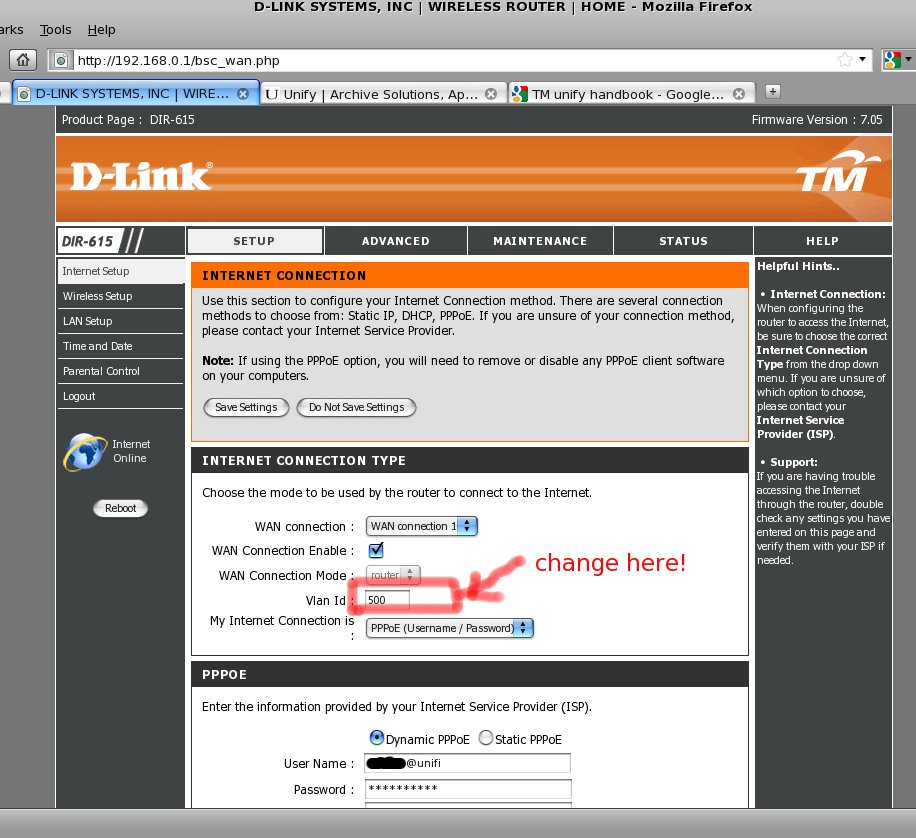
one thing that could be done before completely replace this router with the new one.
re-assign the VLAN ID to another bridge interface such as “WAN Connection 3” .
and setup custom router from there..
p/s : .. yes, might need to re-word the previous blog post as … F**k “telekom”.. !!
Here are five key communication skills that help you speak with clarity and influence: Speak…
Are you ready to unlock your full potential as a man?Discover powerful insights, real-life transformations,…
One day we will set aside one whole day to review the whole lesson we…
Last weekend, 07/12/2024 I managed to join Dev Fest Kuala Lumpur 2024, organized by Google…
TIPS BACAAN AL-QURANOleh: Dr. Muhd al-Muhaysni.1. Jangan engkau berikan (fokus membaca) al-Quran pada lebihan waktumu…
Selawat yang ringkas, yang mana apabila kamu membacanya satu kali sebanding 100 ribu kali, jadi…

View Comments
How to remote access the unifi router? Have to know the router wan IP address. How to detect neighbour's router wan IP?
Go subscribe your own Unifi la bro. Tak malu nak mencuri jiran punya hahaha