Namran Hussin Linux,Virtualization Setting Up serial port in VirtualBox on windows

Setting Up serial port in VirtualBox on windows


I just have enough USB to serial converter which will fail occasionally.
So , I decided to put aside some money to buy a PCI-e to RS232.

Bought this board from All-IT digital mall.
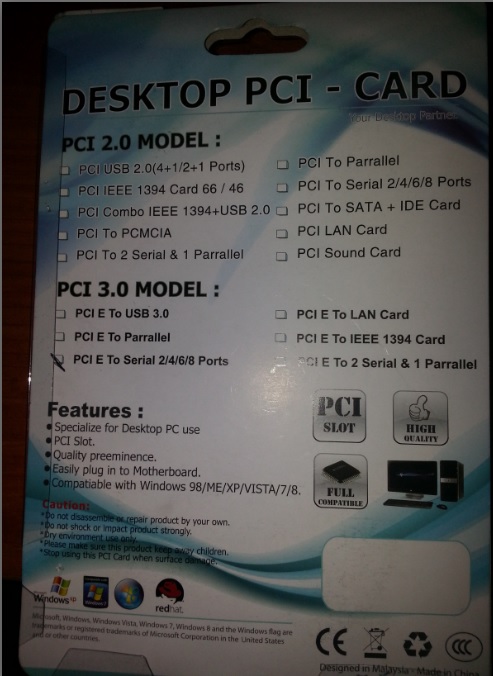
desktop-pci-serial

Once installed , the windows machine detected it accordingly.
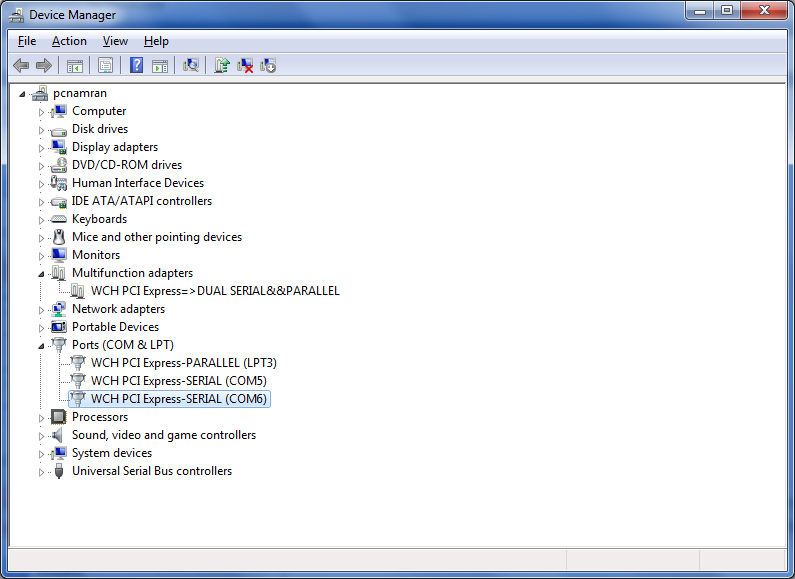
serial

which represented as COM5 and COM6.

Now to add this to VirtualBox, In setting just need to specify the host device as COM5 and mapped to virtual O/S serial.
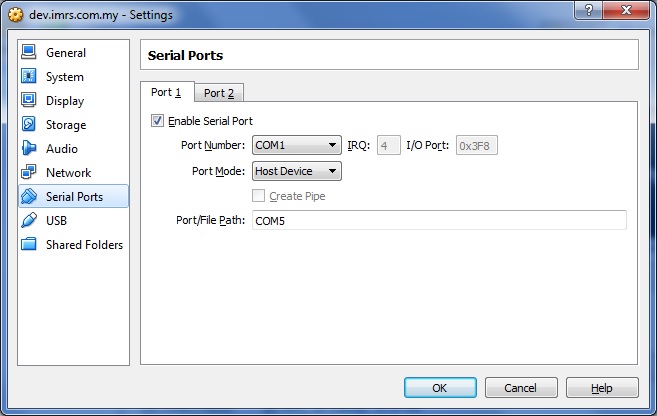
host-device

and inside the box, we would be able to access as normal port. /dev/ttyS0 on CentOS 6.

minicom-ttyS0

yay!

Related Post

Installing java plugins for x86_64 CentOSInstalling java plugins for x86_64 CentOS

download the latest from java website : http://download.oracle.com/auth/otn-pub/java/jdk/6u27-b07/jdk-6u27-linux-x64-rpm.bin?e=1313557110&h=84d2a6dfdee93e926d179d506fafa3e3 sh jdk-6u27-linux-x64-rpm.bin ln -s /usr/java/jdk1.6.0_27/jre/lib/amd64/libnpjp2.so /usr/lib64/mozilla/plugins/libnpjp2.so test by : about:plugins Related posts: Firefox 3.6.13 and JRE plugins in CentOS 5.5 Java 1.6