First of all have to determine the sourceid from.. the MySQL.. and make it look like this one..
# mysql -u root -p
Enter password:
Welcome to the MySQL monitor.  Commands end with ; or \g.
Your MySQL connection id is 3905
Server version: 5.0.45 Source distribution

Type 'help;' or '\h' for help. Type '\c' to clear the buffer.

mysql> use mythconverg;
Reading table information for completion of table and column names
You can turn off this feature to get a quicker startup with -A

Database changed
mysql> select sourceid,name,xmltvid from channel;
+----------+------+-----------------------+
| sourceid | name | xmltvid               |
+----------+------+-----------------------+
|        2 | TV1  | M038-101.astro.com.my |
|        2 | TV3  | M046-103.astro.com.my |
|        2 | NTV7 | M036-107.astro.com.my |
|        2 | 8TV  | M057-708.astro.com.my |
|        2 |      |                       |
|        2 | TV9  |                       |
+----------+------+-----------------------+
6 rows in set (0.00 sec)
and this the bash file that i use to run it daily..
#!/bin/sh
#DATE=`date '+%d/%B/%y'
DATE=`date '+%Y%m%d'`
TOMORROW=`date -d1day '+%Y%m%d'`
cd /home/mythtv/mythguide/update
# TV1
wget http://mythastro.hostrator.com/M038-101.astro.com.my_$DATE.xml --output-document M038-101.astro.com.my_$DATE.xml
sed s/-0800/+0800/g M038-101.astro.com.my_$DATE.xml > M038-101.astro.com.my1_$DATE.xml
mythfilldatabase --update --refresh-all --file 2 M038-101.astro.com.my1_$DATE.xml


wget http://mythastro.hostrator.com/M038-101.astro.com.my_$TOMORROW.xml --output-document M038-101.astro.com.my_$TOMORROW.xml
sed s/-0800/+0800/g M038-101.astro.com.my_$TOMORROW.xml >  M038-101.astro.com.my1_$TOMORROW.xml
mythfilldatabase --update --refresh-all --file 2 M038-101.astro.com.my1_$TOMORROW.xml

# TV3
wget http://mythastro.hostrator.com/M046-103.astro.com.my_$DATE.xml --output-document M046-103.astro.com.my_$DATE.xml
sed s/-0800/+0800/g M046-103.astro.com.my_$DATE.xml > M046-103.astro.com.my1_$DATE.xml
mythfilldatabase --update --refresh-all --file 2 M046-103.astro.com.my1_$DATE.xml

wget http://mythastro.hostrator.com/M046-103.astro.com.my_$TOMORROW.xml --output-document M046-103.astro.com.my_$TOMORROW.xml
sed s/-0800/+0800/g M046-103.astro.com.my_$TOMORROW.xml > M046-103.astro.com.my1_$TOMORROW.xml
mythfilldatabase --update --refresh-all --file 2 M046-103.astro.com.my1_$TOMORROW.xml
# NTV7
wget http://mythastro.hostrator.com/M036-107.astro.com.my_$DATE.xml --output-document M036-107.astro.com.my_$DATE.xml
sed s/-0800/+0800/g M036-107.astro.com.my_$DATE.xml > M036-107.astro.com.my1_$DATE.xml

mythfilldatabase --update --refresh-all --file 2 M036-107.astro.com.my1_$DATE.xml

wget http://mythastro.hostrator.com/M036-107.astro.com.my_$TOMORROW.xml --output-document M036-107.astro.com.my_$TOMORROW.xml
sed s/-0800/+0800/g M036-107.astro.com.my_$TOMORROW.xml >  M036-107.astro.com.my1_$TOMORROW.xml
mythfilldatabase --update --refresh-all --file 2 M036-107.astro.com.my1_$TOMORROW.xml

# 8TV
wget http://mythastro.hostrator.com/M057-708.astro.com.my_$DATE.xml --output-document M057-708.astro.com.my_$DATE.xml
sed s/-0800/+0800/g M057-708.astro.com.my_$DATE.xml >  M036-107.astro.com.my1_$TOMORROW.xml

mythfilldatabase --update --refresh-all --file 2 M057-708.astro.com.my1_$DATE.xml


wget http://mythastro.hostrator.com/M057-708.astro.com.my_$TOMORROW.xml --output-document M057-708.astro.com.my_$TOMORROW.xml
sed s/-0800/+0800/g M057-708.astro.com.my_$TOMORROW.xml > M057-708.astro.com.my1_$TOMORROW.xml
mythfilldatabase --update --refresh-all --file 2 M057-708.astro.com.my1_$TOMORROW.xml
-bash-3.2$ crontab -l
* 5 * * * /home/mythtv/bin/mythguide-update2.sh > /dev/null
it might be buggy at the moment..
but at least..I got something like this..
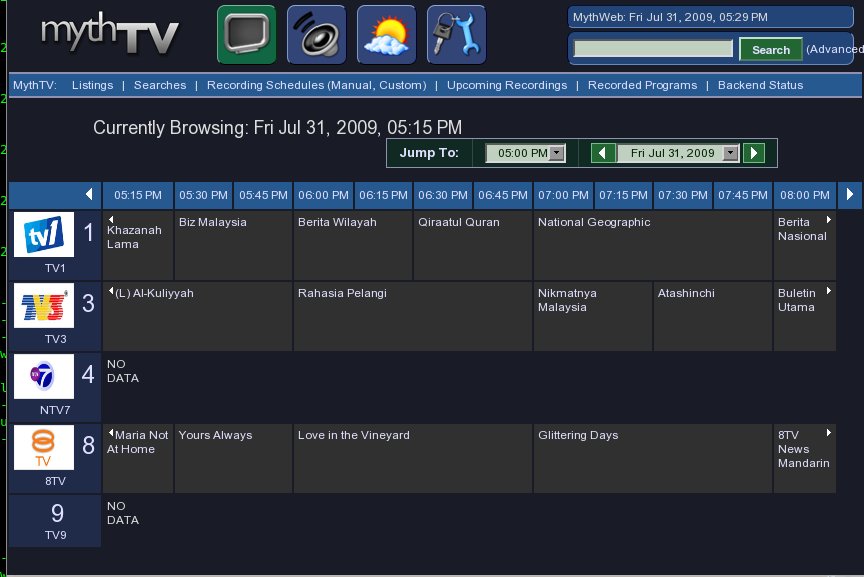
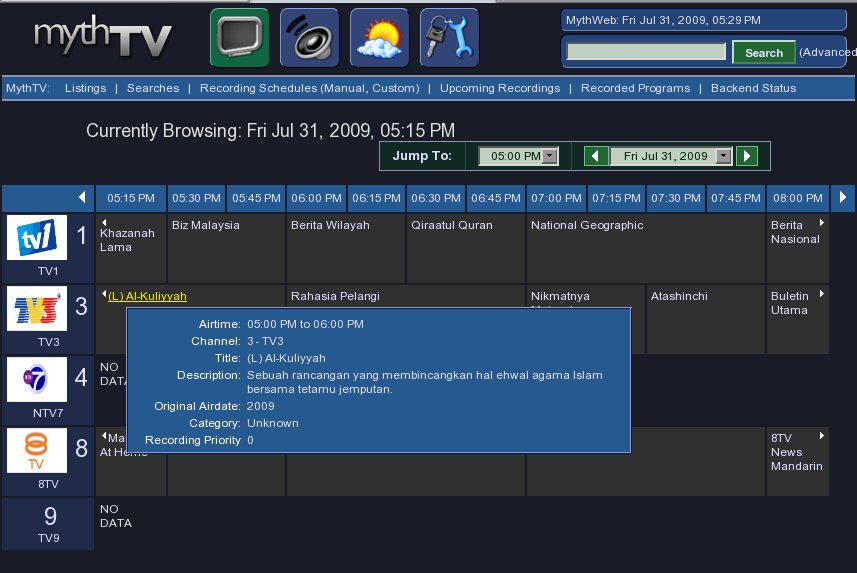
heheh..mouse over the program will tell the program description..
click on it to record..
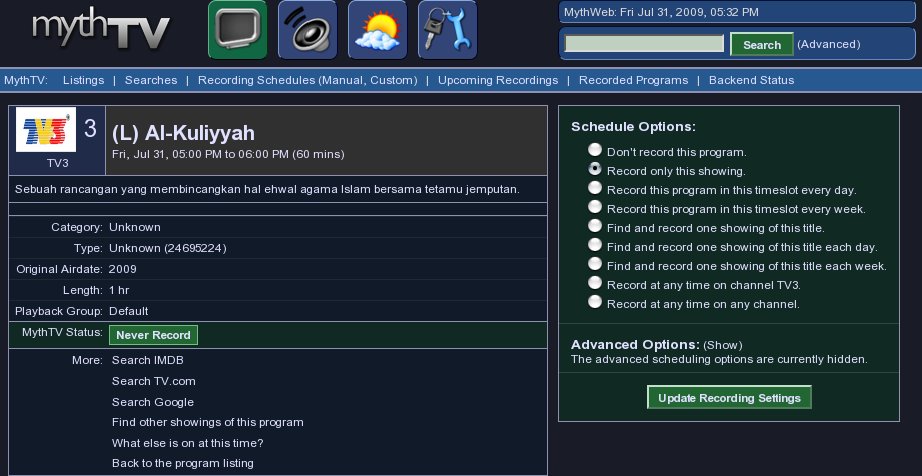
nice..
thanks to the XML uploader..
p/s: all this stuff only viable after a great journey earlier… 8-)
Let’s see how long that WEBSITE WITH XMLTV FILES for MALAYSIA’s ASTRO THAT CAN BE USED ON MYTHTV lasts … 8-)
http://www.google.com/search?q=malaysia+astro+mythtv&ie=utf-8&oe=utf-8&aq=t&rls=org.mozilla:en-US:official&client=firefox-a
keh keh keh keh …
you can also use tv_cat to concatenate multiple xmltv files into one, and pass it to mythfilldatabase in one go.
Got a few other useful tv_* utilities, e.g. tv_to_text.
Having good content can only get you so far unless you also provide a good atmosphere to comment in
I write a music blog for my audience research class. I’m new to blogging and I want them to be good! So any advice you guys could give me would be great
oh.. haven’t done exploring all the utilities
that come with the myth app..
hehe..
google still working even while i was away.. 8-)
complex post. upright one detail where I contest with it. I am emailing you in detail.
Guys…. if you look at the Astro website (http://www.astro.com.my) they now publish their complete tv listings (albeit channel by channel) in XML / RSS format. For example TV1 is at http://www.astro.com.my/channels/rtm1/ with the RSS feed being at http://www.astro.com.my/rss/channels.asp?sid=M038. Although I am not as technical as many on this forum, surely this must make life easier?
Chaggy
Great idea chaggy!
I wrote a script to convert the RSS feed(s) on astro’s website into XMLTV for mythtv:
http://dev.abubakar.net/astro2xmltv/
If anyone tries it, let me know how it works. Instructions are at the top of the script.
Astro stopped their RSS feeds some months ago. I wrote yet-another script based on the EPG as of January 2011.
http://home.abubakar.net/pubdocs/ under astro_xmltv.